
The RS Drums app
RS Central
One place for everything you own from RS Drums. Install your drum libraries, plugins, drum sample packs and groove packs, and keep them up to date.
Version 1.0.0. For Mac (Apple silicon and Intel) and Windows
Explore RS Central
Everything you own
One place
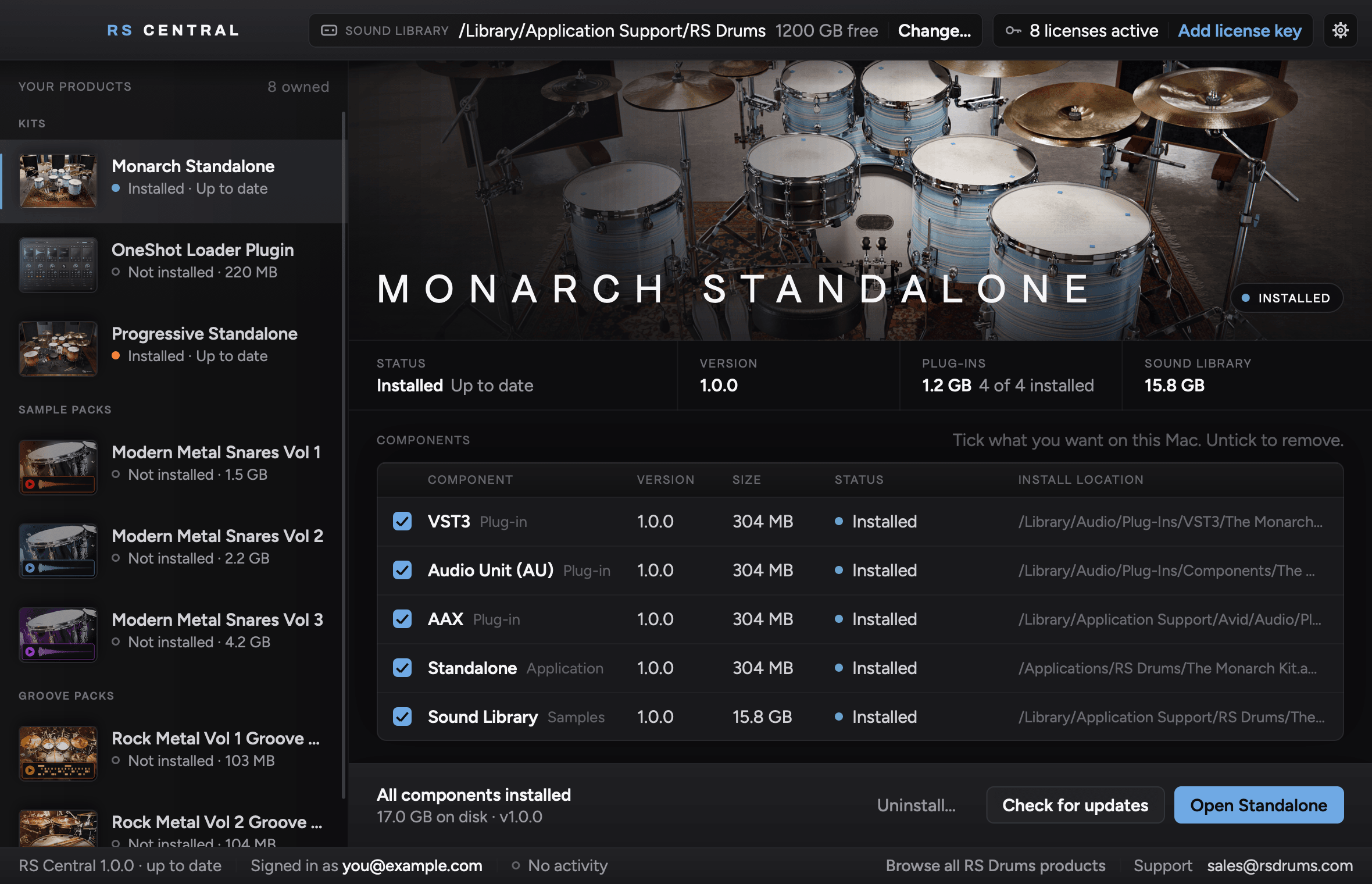
Your drum libraries, plugins, drum sample packs and groove packs, all in one list. Choose one, click Install, and RS Central handles the rest.
Install what you use
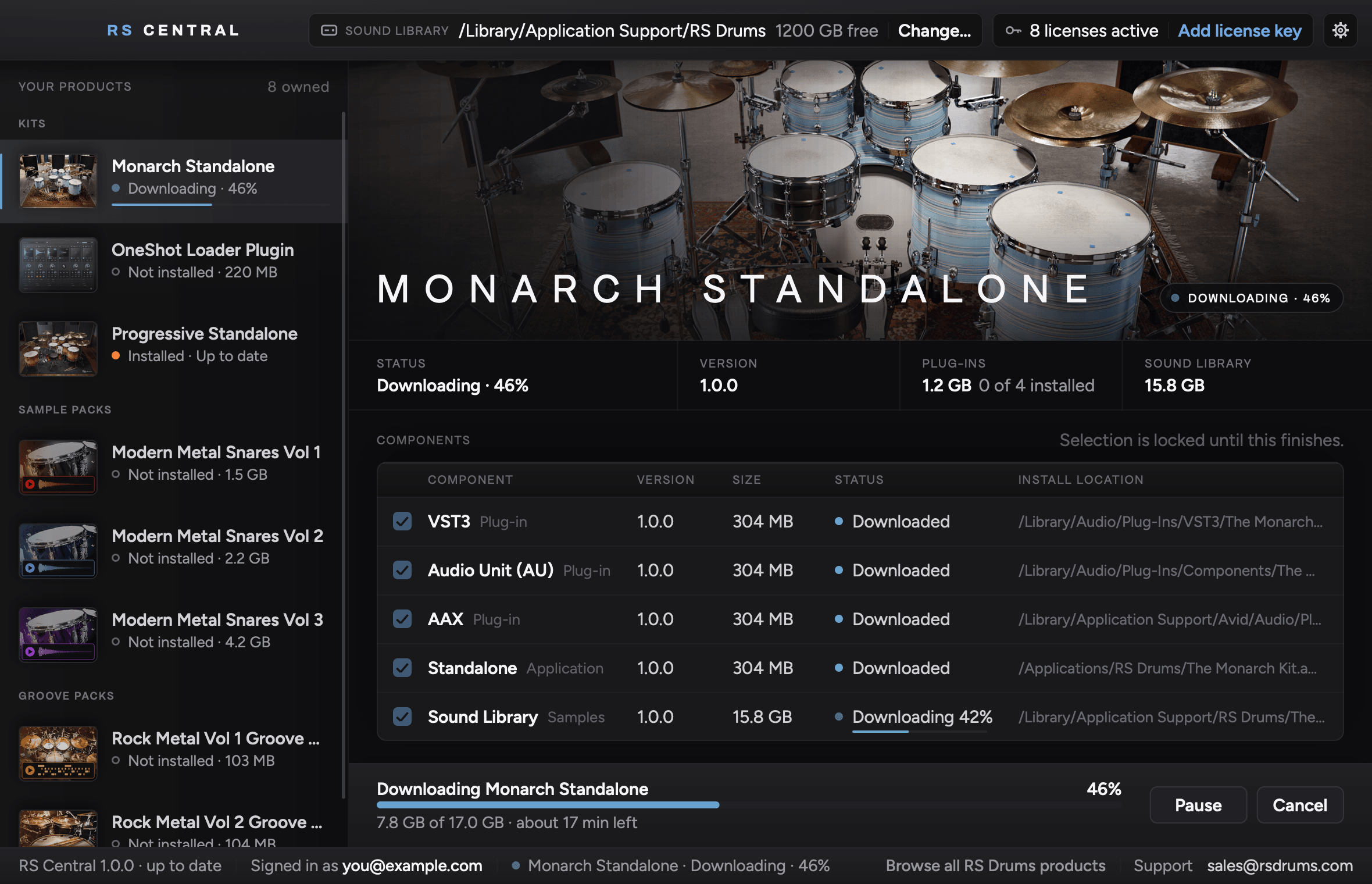
Select your plugin formats and keep only the ones your machine needs.
Ready in every kit
Install a groove pack or drum sample pack once, and it shows up in every RS Drums drum library on that computer.
Choose your drive
Keep sound libraries on your computer or a dedicated external drive.
From sign-in to session
Less setup
More drums
Sign in with your RS Drums account, the one you use for the License Portal. Everything you own is listed, ready to install.
Tick the plugin formats you use and leave the rest. Keep the sound library on your computer or on an external drive.
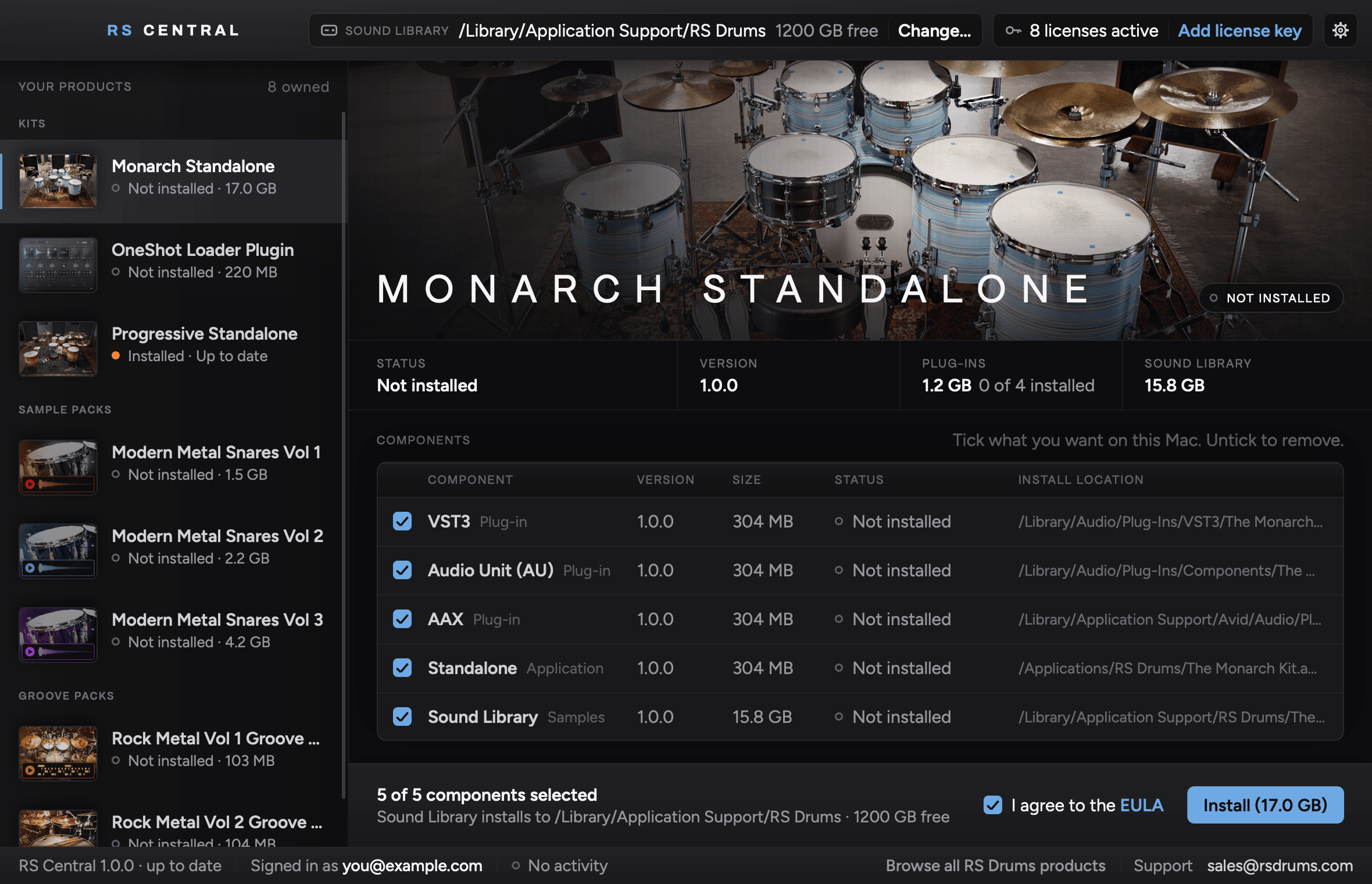
Click Install. RS Central downloads, checks and installs everything, and activates your drum libraries and plugins. Then open your recording software and play.
Good to know
Before you
get started
Use your RS Drums account, the one you use for the License Portal, where your licenses are registered. RS Central opens your browser so you can sign in and approve access on the same computer.
Everything you get from us. Drum libraries, plugins like OneShot Loader, drum sample packs and groove packs all install here. Choose one in your list and click Install.
In every RS Drums drum library installed on that computer. A groove pack appears in the LIBRARY list on each kit’s GROOVES page. A drum sample pack’s snares cross load on the kit’s snare, under LAYER / REPLACE, and its one shots show up in OneShot Loader. Open Folder has the files for other drum instruments, Slate Trigger and your DAW.
Everything with a license registered to your account appears in your list. If you have a purchase key that is not registered yet, use Add license key in RS Central.
No. Choose the formats used by your recording software. You can change the selected formats later.
Yes. Choose a location for your sound libraries, including an external drive.
Downloads can pause and resume, with files checked before installation.
macOS 11 or later, on Apple silicon and Intel. Windows 10 or 11, 64-bit. Product-specific requirements still apply to each instrument.
RS Central
Your software
in one place
Download RS Central to install everything you own from RS Drums, and keep it up to date.